Train with whatever you have
Flywheel is an iPhone workout planner built around one question: what do I have to work with right now? Tell it where you are and how long you have, and in a few seconds it gives you two or three workouts that fit.
In development How it works
Features
-
Plans for right now
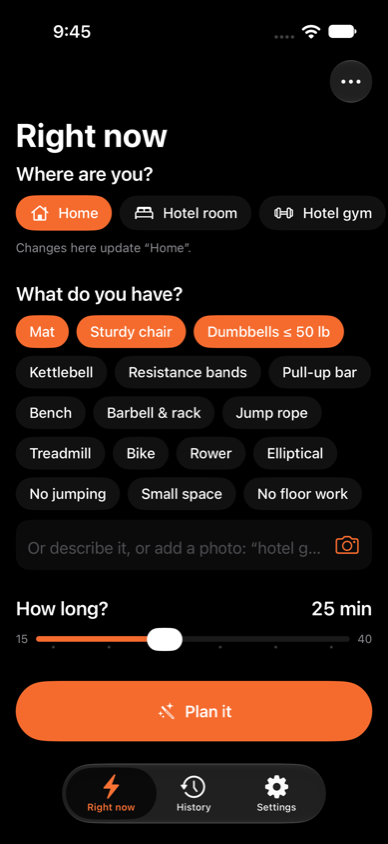
Pick a preset like Home, Hotel room or Hotel gym, tap the equipment you have, or describe it in a sentence. With Claude, you can just take a photo of the room.
-
Real choices
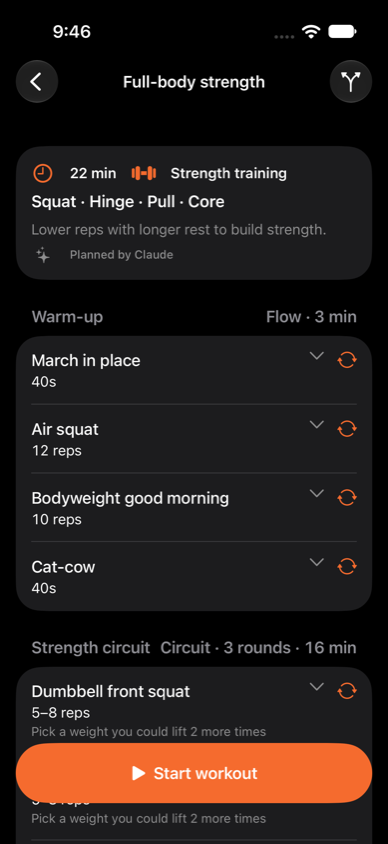
Two or three workouts that differ in focus or format, like a strength circuit, an EMOM and a mobility flow, each with a sentence on why it makes sense today.
-
Knows your week
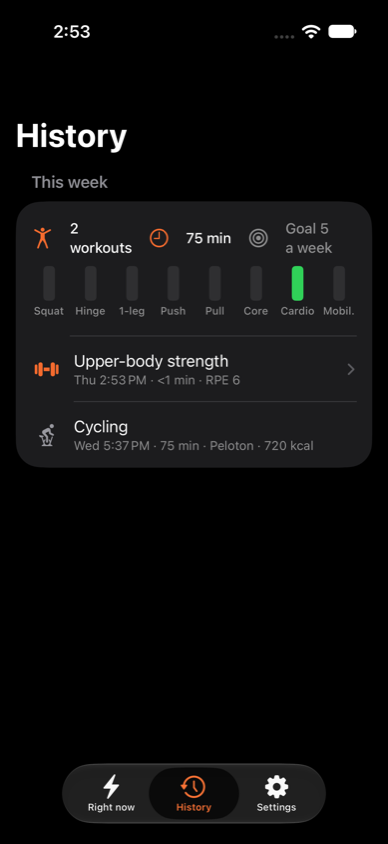
Yesterday's long ride means tired legs today. Flywheel tracks recovery for each muscle group and evens out what you've trained, including rides and runs from other apps in Apple Health.
-
Gets stronger with you
Weights start from last time. Hit the top of the rep range and the weight goes up; at the heaviest weight you have, it moves you to a harder variation.
-
Guided, step by step
Timers for every step, a voice coach, and a Live Activity on the Lock Screen. Log reps, weight and effort as you go.
-
Adapts mid-workout
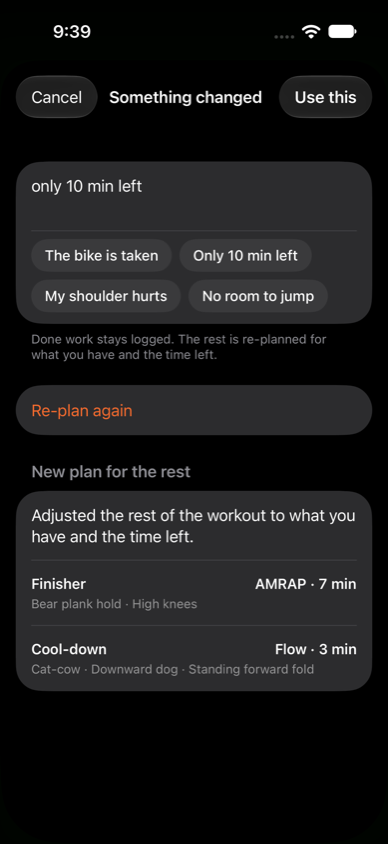
Someone took the bike? Only 10 minutes left? Say so, and the rest of the session is re-planned around what you've already done.
How it works
Plan, train, log, and plan better next time. That loop is the flywheel.
-
Say what you have
Where you are, what equipment is there, and how long you have, from 15 to 40 minutes.
-
Pick a workout
Choose from two or three options that fit your goals, your recovery and the time, with a warm-up and cool-down built in.
-
Follow along
Flywheel guides you through it and saves what you actually did to the app and Apple Health. That feeds the next plan.
Grounded in research
Flywheel's planning follows established training principles from exercise science research:
- Progressive overload, with effort measured as reps in reserve
- At least 48 hours of recovery before training the same muscles hard again
- Enough weekly sets per movement pattern, balanced push with pull and squat with hinge
- Mostly easy Zone 2 endurance work, with some hard intervals
- A dynamic warm-up before every session, static stretches saved for the cool-down
- Well-known formats: straight sets, circuits, EMOM, AMRAP, Tabata, Zone 2 and mobility flows
Flywheel is a personal training tool, not medical advice.
Privacy
Your workout log is stored on your phone and synced through your own iCloud account, and sessions are written to Apple Health.
Out of the box, Flywheel plans every workout on your phone. A built-in planner works from your goals, your history and what you have right now, and nothing leaves the device, even without a connection.
For better plans, add your own Anthropic API key and Flywheel plans with Claude instead. Planning then sends your goals, a summary of recent activity and the current situation, including any photo you take, to the Anthropic API. Photos are used only for that request and aren't stored. If Claude can't be reached, the built-in planner takes over.